Vector Process - folding Scissors

Vectors are a huge pain requiring you to plan and think carefully before committing. Fortunately, with the arrival of gorgeous software like Procreate and Affinity Designer on the iPad you can make some serious strides forward that were much more of a pain just five years ago.
Here is very short walkthrough to give you a taste of how I make nice vector art.
Roughs
Mainly I use a biro and a sketchbook unless it’s something more complicated requiring me to balance a lot of elements. In this case I am using some reference images of a really bizarre pair of folding scissors I saw in a lesson this week (thanks KB!).

Procreate neat inking
If the image doesn’t look good at the bitmap stage it will NEVER look good in vectors - the key is to be as organised as possible before touching those mathemagical curves. I remember seeing vector tutorial magazines in the late nineties and thinking that the vector software must the best thing ever - but it was the organisation and design skill of the artist I was marvelling at!

Affinity designer Vectors
To save boring you I made a 5 minute process video that skims through the stages.
I hope that this is useful. If you have any questions, comments or feedback please get in touch.
October led me back into Instagram

So I felt the need to get back into the daily/regular discipline of drawing things and posting them online after a bit of a break. Maybe it’s related to being in a stressful day job? Maybe something else?

Hopefully it won’t look like this.
Anyways, so I decided to get back into something regular and have found a nice little rhythm developing including some new ideas emerging.
Some of the usual notes on my process:
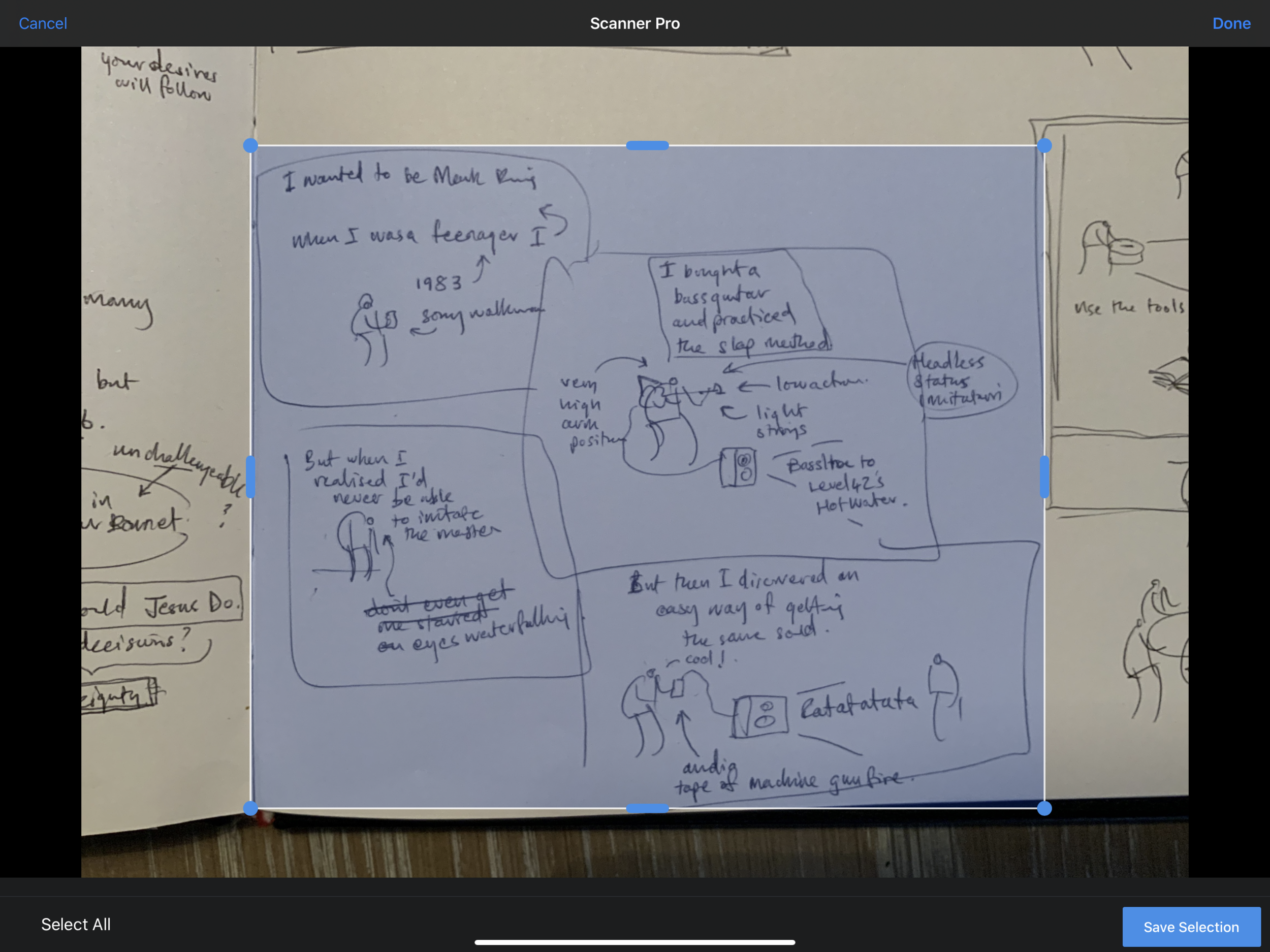

Scanner Pro - pops up nicely in the top right corner when you go to edit any photos in iOS. I like it’s simple ability to bleach stuff.

I like these results - they are useful for taking things to the next level.
scribbles in my square tiger-purchased blank sketchbook that I also happen to use as my daily teacher planner. I use an orange bic biro. I love the nib on it. Even with a decent iPad Pro knocking about, this is by far the best way to get my thoughts out quickly.
I take a photo with my iPad camera and then I process the imagery in Scanner Pro (unfortunately the track record for Prizmo has recently gone down the toilet so I gave it a shove - Scanner Pro has almost the same functionality).
this gets dragged into Procreate where I have set up some templates for Instagram/Twitter-friendly image creation. Essentially I produce a square image with four smaller squares. This gets posted to Instagram and my twitter feed gets the first image.


I use my own smooth brush with bobbly bits for line work and a non-smoothing brush for grey colouring.

the great thing to come out of this (so far) is that the use of a four panel structure forces me to create three or four distinct ‘beats’ which takes a bit of pressure off. One or two of the posts so far use a single larger box, but that’s because I am just messing about (and seriously who cares).

Palindromes

Playing about usually gets other things going. I was chatting to my son recently about Palindromes and then did a bit of research online. I was amazed how many there are and how complex! I noted a bunch down and have so far illustrated ten with an eye on keeping it up in my spare time. I like how you can take a really weird sentence and create some bizarre mini-narrative out of it. I posted them here.

#draw365
I started a daily drawing routine about two years ago, and am pleased to say it is still going.
The process
I usually scribble something quickly into my sketchbook¹ using a biro, photograph it with my iPad and compose/ink it in the excellent Procreate app. From here I post it to Instagram. You can find a dump of my most recent images on this page.
The weirdness of audiences
When I had just finished my A levels² I took a trip to Paris to stay with my Uncle and do a bit of painting and drawing. It was a kind of lead-up to doing my Foundation Art Diploma and I was raring to be an artist! I took some acrylic painting materials, borrowed a portable easel from my girlfriend and prepared some canvases. I was all set. When I got to a monument (somewhere or other) I set up my stuff and began to make some Art™.
And then it all crashed - I felt utterly paralysed by
a. tourists who kept taking their photo next to me
b. people looking at what I was doing and
c. the inner knowledge that I wasn’t actually that good. Other artists around me were way more impressive. I was a fraud.
It was such a weird experience. I came away not wanting to do it again. Bizarrely, this event illustrates what happens whenever we post material online - purely because there is an audience watching.
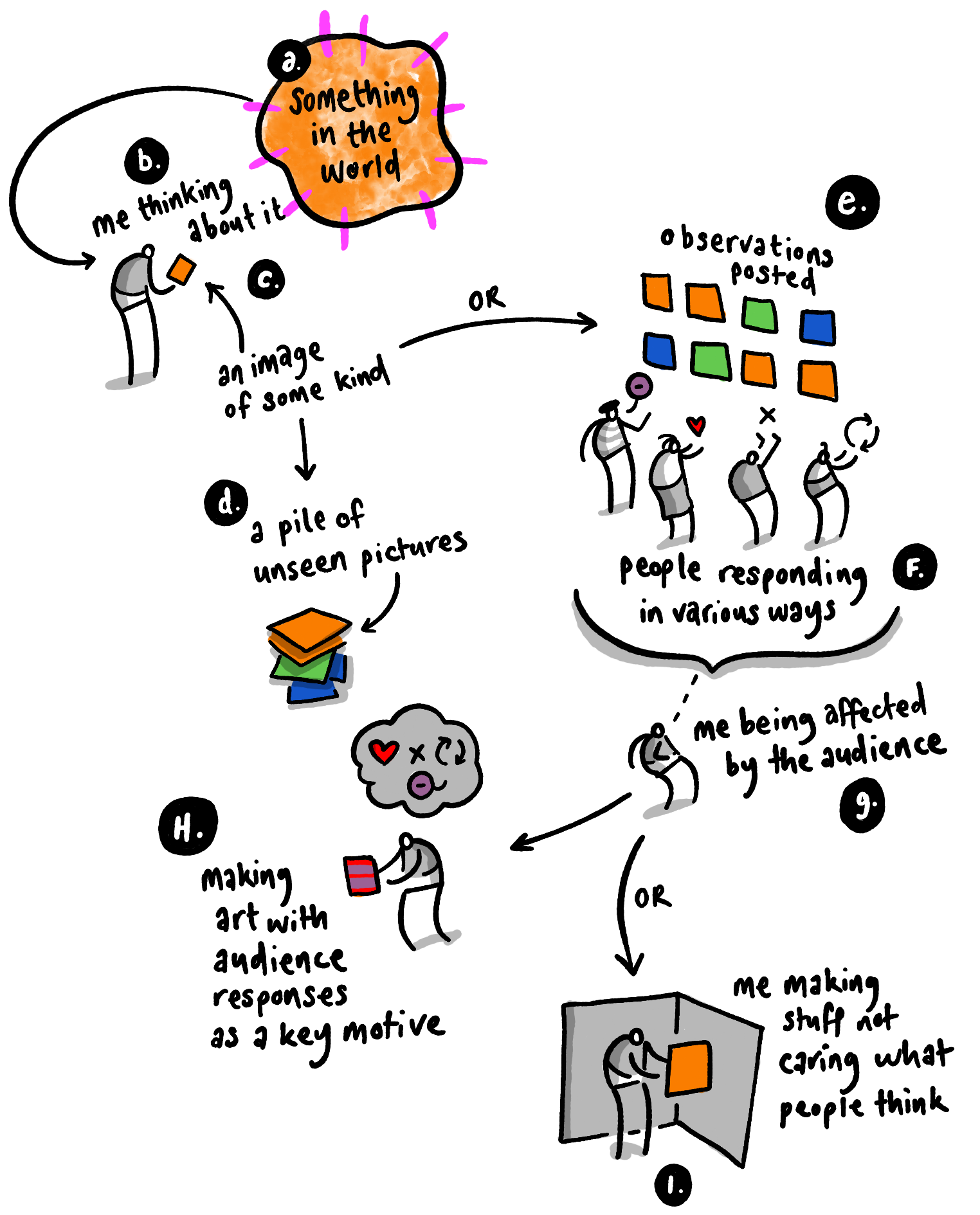
As I post these daily pictures I try to keep in mind that Discipline and Play are important to creativity³:
Discipline means doing it every day (or at east regularly enough for it to be a deliberate habit)
Play means that I just make things which are literally that: not done with any audience or crowd in mind
So why bother posting them online?
Good question. If you post stuff where there's an audience, aren't you just trying to market yourself? Isn't it somehow a bit cheap, broadcasting yourself in this way? Maybe I shouldn’t⁴.
But then maybe there is value in simply sharing things just because.
¹I usually draw stuff related to what I have been thinking about in the last few days
²in 1863, just before the Post-impressionists took hold
³you are probably different to me, I am just saying how I do things
⁴I know I'm probably over thinking this
Paper-Digital Workflow
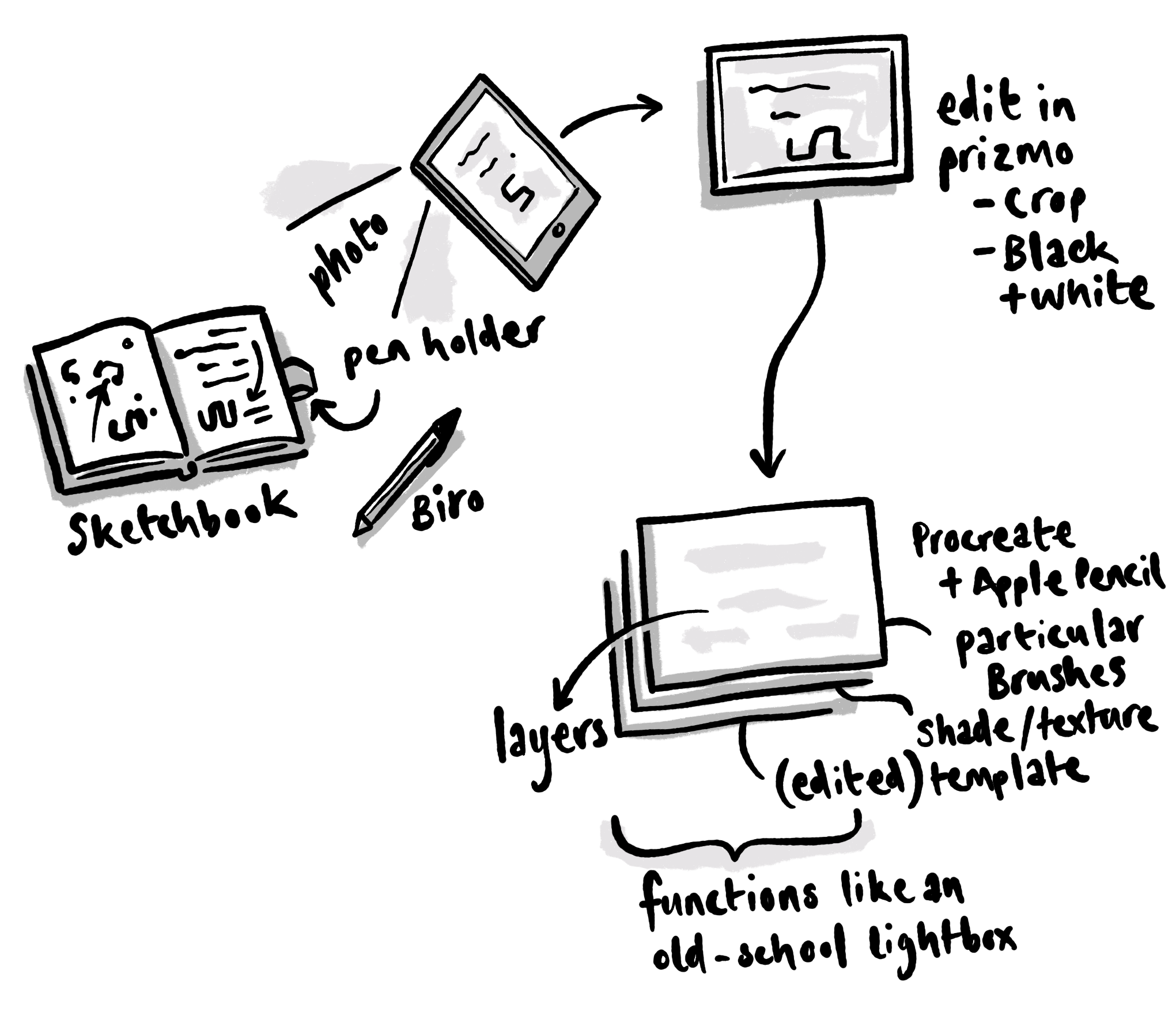
The main issue with having a good creative workflow is being able to think and develop your ideas effectively. Over the years this has changed a lot for me personally, partly because the technology is different and partly because I am too.
In the past I had a tendency to overdo things and get a bit precious about every design element, but as I worked with a variety of editors/clients I realised that my best work tends to be more spontaneous.
This doesn't mean that I’m not thinking about things, just that the end material is more instinctive and less self-conscious, which is where my preferred workflow comes in.
I usually start with possibly the fastest medium available - a biro and sketchbook. I will scribble stuff out and often develop things across three or four drafts¹.
At some point I will then take a photo of this artwork with an iPad² and process the image using an app called Prizmo³.
After this I will work mainly within Procreate using an Apple Pencil⁴ (and yes I have a set of particular brushes⁵). My approach with Procreate is to use it like an old-school lightbox - a manipulated template layer at the bottom with reduced opacity as a guide. Beyond this I will have a black ink layer, a couple of grey tonal layers (one of which usually using multiply mode) and then further colour layers (also set to multiply). I sometimes bring in other textured bits and pieces depending on what I am doing.
My mac is still useful - particularly when it comes to doing the heavy lifting of composite video work and some text-design-layout based activities, but increasingly I am finding the iPad a tool of choice. The flexibility combined with with the immediacy of a thought-based workflow is something I often have to pinch myself over.
¹I will probably post something here soon about the use (and misuse) of a sketchbook, but for now I’ll just say that the dynamic of the viewing audience can ruin this most sacred institution. There are lots of flashy sketchbook samples posted online which are beautiful but vacant exercises. Well not exactly vacant - they look nice, and get lots of likes, but in the end my personal view is that a sketchbook is about externalising and developing thinking and reflection. These things don’t easily fit into something that the watching world understands or cares about and therefore should be kept under wraps unless there is a really good reason to share it.
²Another note on the use of an iPad: there are a number of people online who refer to themselves as iPad artists, or iPhoneographers. I would gently warn against this kind of self-definition. While it is true that I tend to use Apple products 24/7 and depend on their services to teach and create stuff (students often associate me with some kind of spineless Fanboi), I think that it is important to distance yourself from your tools and remember that you are a creative person and these are tools to help you get the job done better. One day those tools will change or disappear and you will have to find a different method, so please think twice before you define yourself in this way.
³If you haven’t seen or used this app I recommend it highly - I have been using it for years and it keeps getting better. You can ‘scan’ multiple page documents, process them and send them digitally. You can do surprisingly effective OCR with it, get it to read texts out and - in this instance - scan draft artwork and prepare it easily. It is also worth mentioning here the fact that the current camera on an iPad is now up to a superb standard, meaning that you just don't have to worry about taking reference images or scans of work.
In the olden times I used a scanner a lot and would stitch together images using photoshop. Now all of this is virtually redundant - my scanner is somewhere collecting dust.
⁴What can be said about this most wonderful development in the world of art-using technology? It is perhaps one of the greatest steps forward for me in recent years - the combination of iPad/Pencil and Procreate is very sweet indeed. Enough with the gushing.
⁵If you look around the Procreate forum you can find a load of free brushes, discussions and some links to paid stuff. I won’t post any further details here because really this is about finding your own path and what works for you (which might take a long time!). Whatever you end up with, it is important to have a sense of conviction and ownership. Happy exploring.