#draw365 retirement
(UPDATE - 5/2/19) After some reflection I decided to permanently retire my Instagram account. It was great while it lasted but I think there are times for cutting back and achieving simplicity/focus. This is such a time.

So, part way through my third year of the #draw365 project (791 posts!) I have decided to give it a rest in favour of diving into deeper¹ material. The last three years has seen a lot of stuff happening and I have enjoyed the discipline of drawing something every day.
So was it worth doing?
Definitely. Here are some (personal) thoughts:
As a space for personal reflection I have found the discipline of #draw365 invaluable - I have developed a set of visual-reflective muscles that feel restless without the exercise of reaching for my sketchbook. While I don’t intend to stop reflecting - I won’t be posting them online every day. Every artist needs the space to reflect, and this has been a huge help to me.
As a means of interaction and discussion with my students it has been terrific. Beyond the online ‘likes’ I have often used these pictures in class to discuss something currently going on in the culture².
Drawing things quickly and not fussing about the results. There is something wonderful about doing something from a deeper, instant conviction and not spending too long on it. I continue to find it frustrating and wonderful that my best stuff didn’t take that long to craft.

My electric dutch bike was always a source of hilarious banter with the year 9 '8.08 crew' boy-racers.
What are the down-sides?
Occasionally my observations are too frank for public consumption. I then find myself caught between the need to keep my #draw365 routine or relationships(!). Not having to post daily means I can still think/reflect while reserving a protective barrier.
The pressure to keep it going - this is a tricky one that comes back to a whole bunch of factors - the quality of the imagery (is it good enough? Am I overdoing it?), how you feel it reflects on you (and whether narcissistic crowd-pleasing tendencies matter), maintaining a natural organic feel (vs refined/artificial production).
I hope that these are useful thoughts for anyone who is thinking of doing something similar. I will certainly continue to post material on there but the hashtag is going into retirement from today.
¹ Lots of artists and writers make the observation that their best work is cheapened by the daily energy being donated to social media. Instead of seven half decent images - why not one each week with six discarded drafts?
² It’s worth mentioning here that in the age of despicable online grooming and horrific child protection scandals, teachers are rightly required to follow strict professional codes of conduct online. This is why I never post personal photos or follow student accounts. Any communication always stays out in the open. This stuff matters.
#draw365
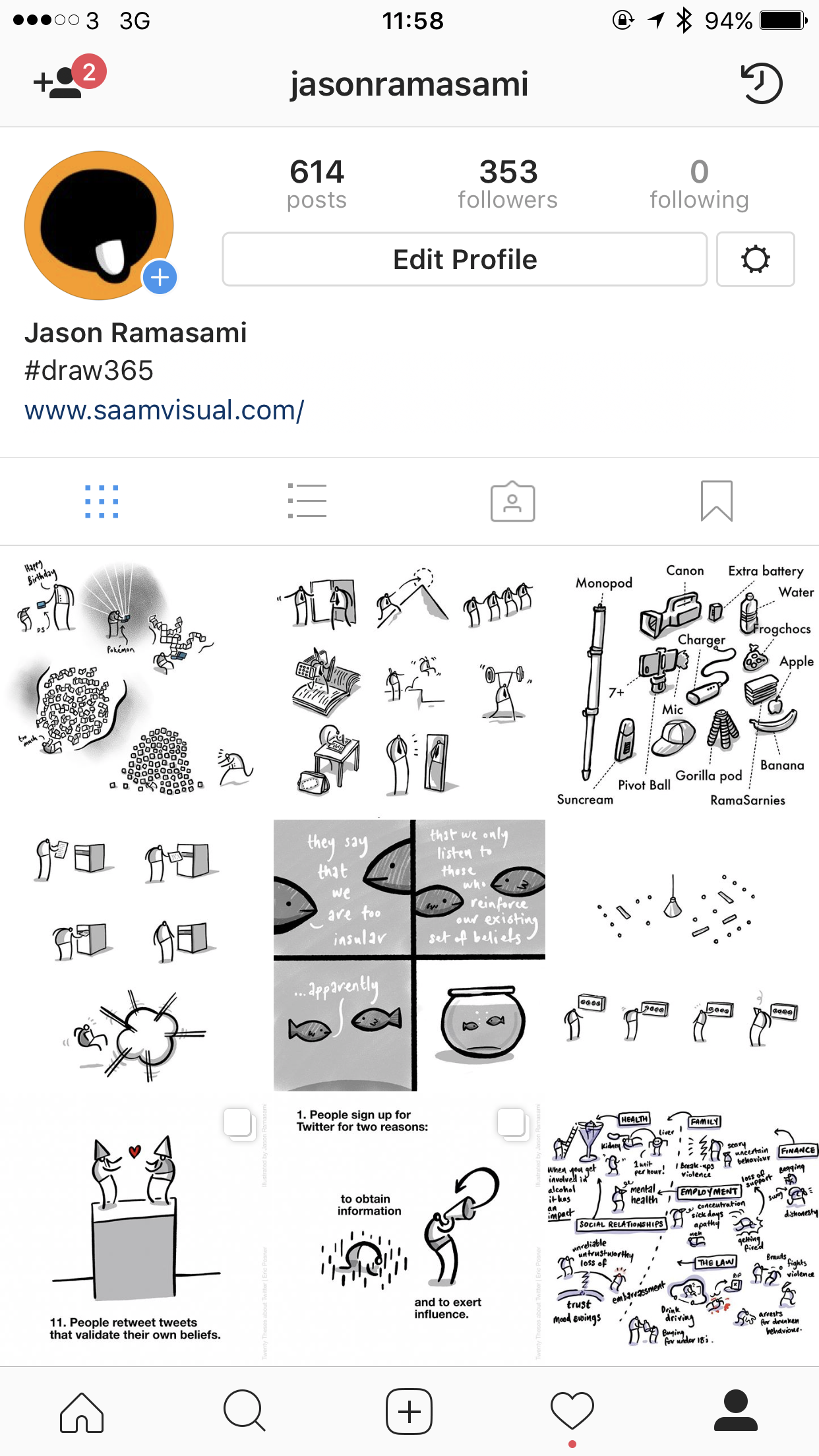
I started a daily drawing routine about two years ago, and am pleased to say it is still going.
The process
I usually scribble something quickly into my sketchbook¹ using a biro, photograph it with my iPad and compose/ink it in the excellent Procreate app. From here I post it to Instagram. You can find a dump of my most recent images on this page.
The weirdness of audiences
When I had just finished my A levels² I took a trip to Paris to stay with my Uncle and do a bit of painting and drawing. It was a kind of lead-up to doing my Foundation Art Diploma and I was raring to be an artist! I took some acrylic painting materials, borrowed a portable easel from my girlfriend and prepared some canvases. I was all set. When I got to a monument (somewhere or other) I set up my stuff and began to make some Art™.
And then it all crashed - I felt utterly paralysed by
a. tourists who kept taking their photo next to me
b. people looking at what I was doing and
c. the inner knowledge that I wasn’t actually that good. Other artists around me were way more impressive. I was a fraud.
It was such a weird experience. I came away not wanting to do it again. Bizarrely, this event illustrates what happens whenever we post material online - purely because there is an audience watching.
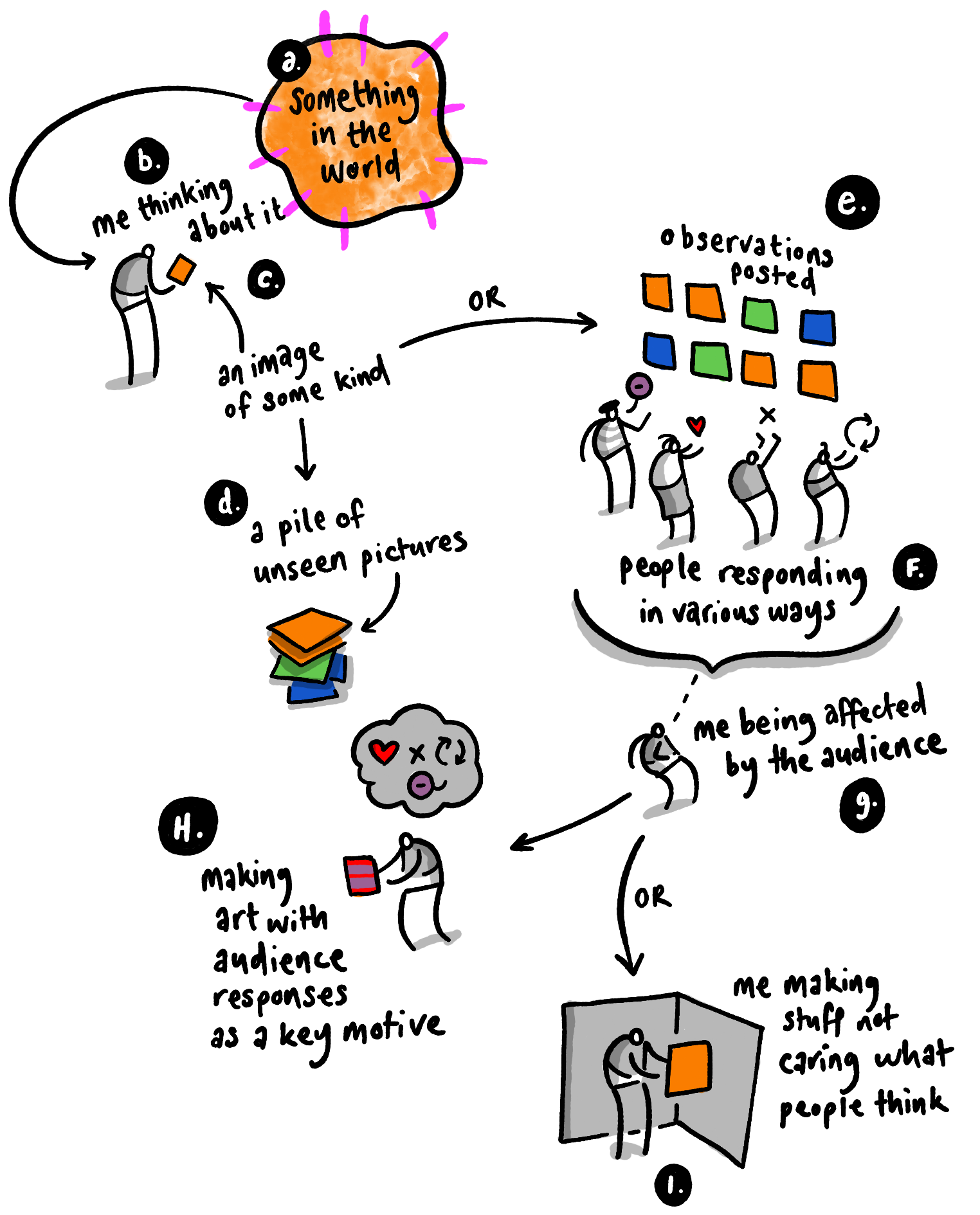
As I post these daily pictures I try to keep in mind that Discipline and Play are important to creativity³:
Discipline means doing it every day (or at east regularly enough for it to be a deliberate habit)
Play means that I just make things which are literally that: not done with any audience or crowd in mind
So why bother posting them online?
Good question. If you post stuff where there's an audience, aren't you just trying to market yourself? Isn't it somehow a bit cheap, broadcasting yourself in this way? Maybe I shouldn’t⁴.
But then maybe there is value in simply sharing things just because.
¹I usually draw stuff related to what I have been thinking about in the last few days
²in 1863, just before the Post-impressionists took hold
³you are probably different to me, I am just saying how I do things
⁴I know I'm probably over thinking this
#TeachingTalk & MOJO
This article is about how I took the principles of the emerging MOJO (mobile journalism) movement and successfully applied them to a new teaching job. I have tried to keep things short while providing enough detail to encourage like-minded people to do something similar. If I have missed anything please get in touch.
In September 2016 I had the pleasure of returning to teach at Durrington High School in West Sussex. In the decade since i'd last worked there Sue Marooney and the team had accomplished some impressive educational feats - year on year incremental improvements across the board making it a place that both teachers and students seek out. I had the strong sense that I was participating in a teaching culture that punched well above it's weight.
The MOJO movement
Glen Mulcahy and Marc Blank-Settle are two key figures encouraging traditional news and journalism institutions across the world to embrace the mobile phone revolution in their approach to producing broadcast materials. While there are tons of different approaches, the general idea is for news teams to embrace a lighter (more mobile) tech footprint while retaining excellent standards.
My interest in this kicked off through the documentary work I had been doing exploring worldviews while teaching Religious Studies at another school. While I have a 'serious' film kit with a combination of fluffy obtrusive pro-microphones, these are cumbersome and require a certain amount of inflexibility. With this new approach to capturing material my equipment can be with me all of the time and deployed within ten minutes. I have provided some equipment/software details at the end to save boring some people senseless. I love you Fiona.
#TeachingTalk enabled
After successfully trialling this new approach, Shaun Allison encouraged me to step out further and explore teaching practice across the school community. To date I have completed 23 'episodes' of #TeachingTalk that would have been virtually impossible without the flexibility provided by the MOJO set-up.
What was the value of #TeachingTalk?
From a purely non-tech point of view there is tremendous value in making time to be open about your teaching and thinking. It breaks down the possibility of arrogant blind-spots and strengthens others who may have similar struggles. Andy Tharby explains here why choosing to talk is a healthy option for overworked conscientious teachers:
From a personal (more technically-minded) perspective, I think there are some terrific advantages to this project:
people (and their professionalism) are powerfully affirmed - I often felt that my interviewees were sharing important ideas and insights that are really worth hearing about
the interviewee develops their own convictions - in the clip above, Andy is right to say that the explaining/presenting of something always clarifies our own thinking
a clearer perception of what the wider teaching community is doing - this is where the power of technology is properly felt. It's reach counters that all-too-familiar sense of isolation and helps a wider audience to see how others are getting on
the sharing of good ideas and contextual thinking - yes you can't simply drop an approach on every context and expect roses to grow, but you can step into different contexts while reflecting on your own
if it is done well, it builds trust - my personal approach is to make it clear to teachers that nothing will be used without their permission. Being filmed (and then sharing this online) puts someone in a position of vulnerability, so it is important that those who are being captured are happy with how they come across. This is a potential minefield, but is definitely a path worth treading. Occasionally I have had to withdraw pieces (some which were amazing) because the people being filmed were unhappy. Occasionally I had to try and explain why the piece was really valuable and worth going along with. For this reason it is worth restating how appreciative I am of the colleagues who agreed to taking part in this project.
With or without the equipment (and documentary-obsessed teaching staff) there should be no reason why schools aren't seeking to develop a culture of reflection and sharing. It's a healthy no-brainer.
Now what about your MOJO set-up?
Currently I am using this equipment:

iPhone 7 Plus and FilmicPro - I consider myself fortunate enough to be able to have this expensive phone and it does the job brilliantly. I use a 256 gigabyte storage just in case. Occasionally I get near to filling it with 4k footage. It has the added advantage of being weather-resistant. I once shot some footage underwater and it worked beautifully. For the budget conscious - there are lots of other possibilities - the iPhoneSE is both compact and captures superb 4k material if needed. Filmic Pro is pretty much the standard recording app. It has lots of superb features that are genuinely useful.
a Manfroto monopod and Glif/Shoulderpod grip - this works better than a tripod because a. it can move and b. the weight of the hanging arm creates a really handy balancing effect. I tried some gymbal systems but none of them worked that well - especially with a microphone which is crucial. Also note that I rarely use the monopod against the floor. Hanging is always better even if your arm gets a bit tired. Also the ability to extend it and reach extreme heights is awesome - like a selfie-stick on steroids. The Glif is recently new (and works superbly - particularly the quick release function) but I originally used the shoulderpod for ages - either are great.
a flexible ball mount - this provides an immediate way of changing the angle for those occasionally different shots. I leave mine permanently attached to the monopod. The extra weight is worth it.
on board and mobile microphones - I use the Zoom iQ7 with a RODE Deadkitten (Shaun Allison keeps calling it names that I don't really understand) as my default sound-capturing method. For remote recording I use an older iPod Touch with a Sennheiser Digital ClipMic. I usually record the remote audio using Ferrite - with a fully charged iPod I just set the recording going and can get up to an hour and half.
Anker battery pack - there are lots of these around and they are very good indeed for portable serious battery back up. Never leave home without it.
Lights - currently I don't bother with LED lights because the situation doesn't need it at the moment.
Editing - if I was editing on the go I would use LumaFusion which is a seriously great mobile multitrack video editing tool. My own personal situation means that it is actually easier for me to important my footage onto a Mac and chop material using FCPX, which is the daddy as far as I am concerned.
For those still here - what are the pros and cons?
Advantages
having your equipment with you all the time means getting those opportunities which would otherwise not happen - capturing sensitive perspectives means having flexible mobile and unobtrusive kit.
being able to make eye-contact and talk intimately takes a bit of practice but this set-up absolutely allows for it to happen relatively easily. If you have a look at the episodes produced, most of the people are making near-eye contact with the camera. This is an approach that Jonathan Demme popularised and Errol Morris swore by.
shooting in 4k means that if you shoot stuff at an odd angle (which often happens because you have to really focus on the person not the shot) you can edit the sequence at 1080p and crop in/rotate the image with no discernible loss.
Disadvantages
mobile phones do not have the delicious flexibility of a zoom lens. This often feels like a major deal-breaker. When I am shooting stuff with my 'serious' camera I love the freedom to smoothly zoom in and out. BUT there is a way forward - if you shoot in 4k you can crop-in on the subject and actually get even closer still with no problems. It isn't the same and feels really different but creativity is all about working intelligently within the limits.
All 23 episodes of #TeachingTalk can be watched here. If I have missed anything or if you have feedback then please get in touch.
My workflow on the second MELC job
I really wanted to post some notes on my workflow for this project before term time hits again, so here goes:
What is MELC?
Making Every Lesson Count is a book that Shaun Allison and Andy Tharby wrote a couple of years ago. In essence, it is about teaching for teachers. It strikes that rare balance between everyday practice and bigger principles derived from research. The immense success of the book among the teaching community speaks for itself - it has sold upwards of 7,000 with at least two reprints.
I got the opportunity to illustrate the book because I had developed a great working relationship with Andy illustrating lots of his blog posts. For some lovely unknown reason our visual-verbal chemistry just seems to work and so the door swung open when the book was being discussed.

I loved this project because I was able to be the pretty pink icing on an already delicious cake.
Now that the series has been developed into a range of subject-specific volumes I got another go at working with these guys. Over the last week I produced around 100 images for the next three books. What follows are some notes on my workflow - I hope that these are useful to you.
Manuscript Notes

For these I usually scrawl on a PDF of the manuscript using Notability. Doing this on an iPad in a pub allows the Author to talk freely as I highlight parts of the text and improvise ideas on the go. Notability is a workhorse for me - I have used it daily in my teaching for years now and it has rarely let me down. For multi-page annotation of PDF documents there is nothing better.
Rough Pencils

I took the original notes and put this together - the linework is deliberately loose - produced in Clip Studio Paint and Astropad Studio (see below).
Tidy Pencils

Getting a bit closer now - I create another layer and take a bit of time to tighten up the original strokes. Often I try and simplify things down to the essence.
Corrections and shading
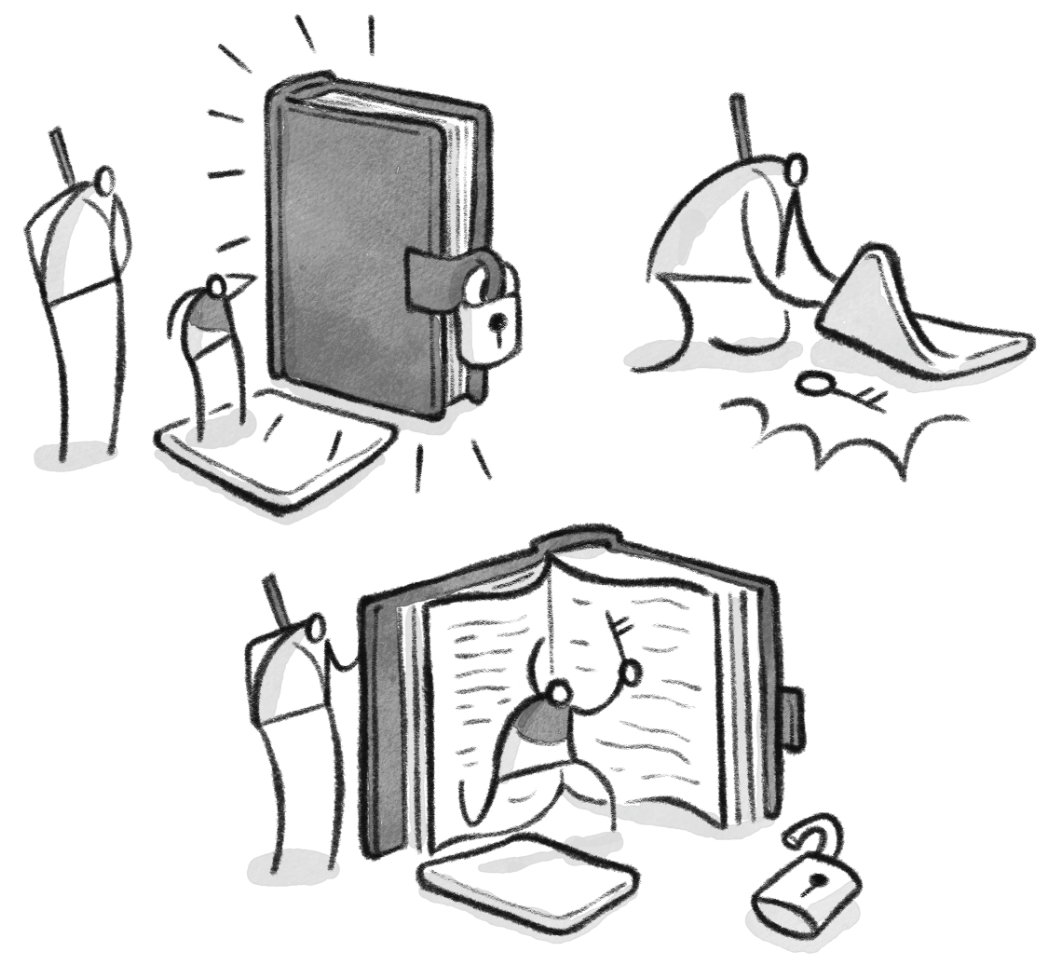
This is the bit where my hand hurts and I need to go out for a walk before my body shuts down entirely.
Get on with the process chat, Ramjam
To create the final artwork, I used Astropad Studio via a large screen iPad Pro to draw these images in Clip Studio Paint. The experience was superb.
Here is the set-up for this particular job:
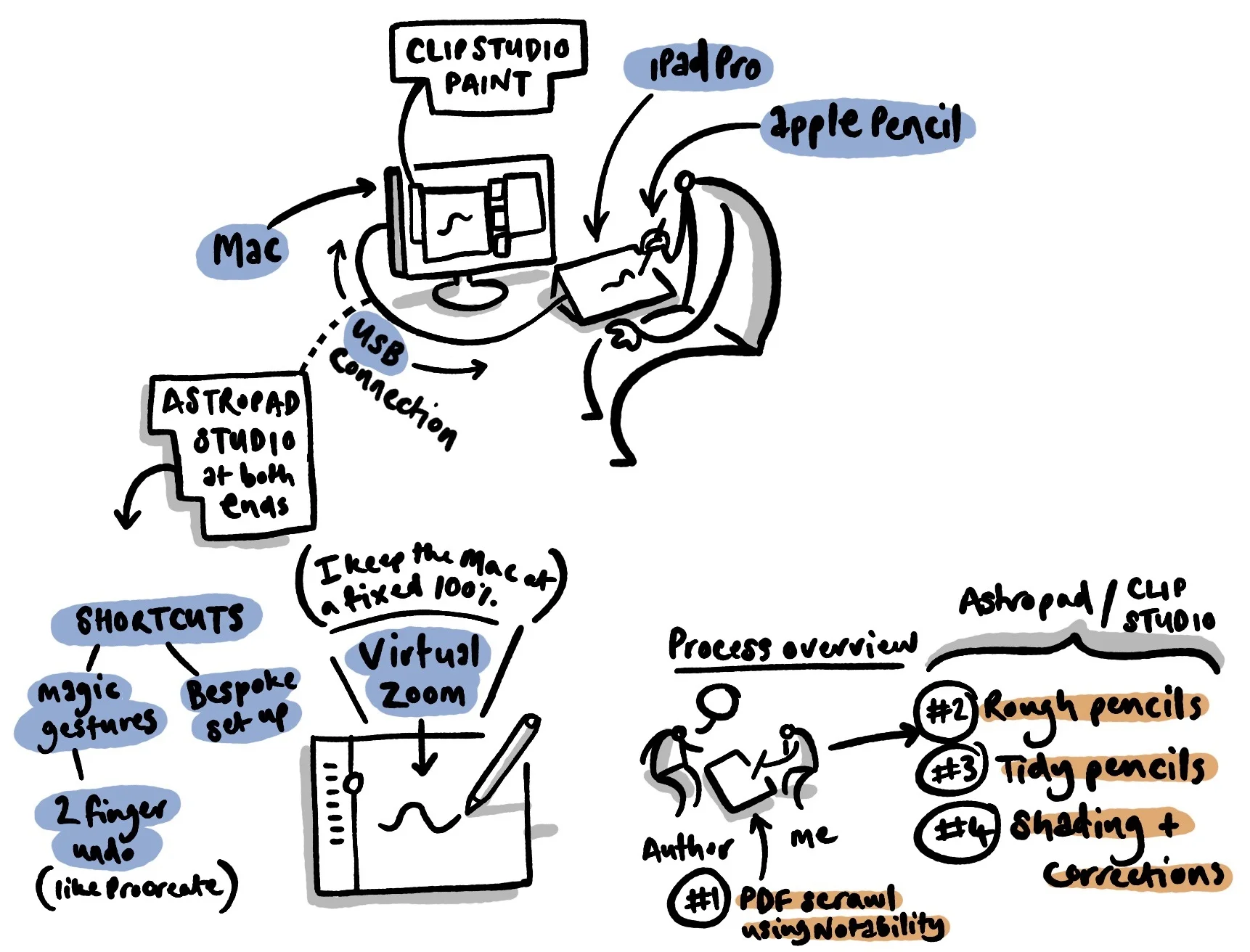
Please don't tell me how poorly presented this image is.
Some notes:
Clip Studio Paint - this is cheap, quirky, reliable and brilliant for multipage natural media creation. Seasoned pro artists swear by it, and I am in complete agreement. I use it in combination with a carefully selected bunch of Frenden's natural media brushes. It is a great piece of software.
Astropad Studio - some people will moan about the price, but if you produce artwork professionally, this is a serious alternative to the Intuos-style screens. The key benefits (on this job) were:
having a two-finger tap for undoing strokes (Procreate-style)
being able to easily set up a bespoke shortcut menu which freed me from my mac keyboard for most of the process
the virtual zoom is a major advantage - I tended to keep the main image at 100% on the mac screen and then used the iPad as a virtual zoom tool. I found that this was very fast and efficient feature
the Apple Pencil as an input method is a killer move baby. The sensitivity and handling is even better than using Procreate natively on the iPad pro. I loved drawing in this way.
the iPad screen itself
Gone are the days where I used to worry about the gap between something drawn 'on the computer' or drawn 'by hand'. With this set up the discussion isn't relevant any more.
If I missed anything or if you have any comments, please get in touch via email (saamvisual at gmail dot com), instagram or twitter.